What I was doing in Vmeste.ru

What I was doing in Vmeste.ru

Vmeste.ru — a social network for neighbors (from the developer Samolet), in which anyone can become part of the community of their home and neighborhood.

The app provides chat functionality with neighbors, communities for communication, marketplace for neighbors, payment of bills, management of intercom, barrier and so on.

Vmeste.ru — a social network for neighbors (from the developer Samolet), in which anyone can become part of the community of their home and neighborhood.

The app provides chat functionality with neighbors, communities for communication, marketplace for neighbors, payment of bills, management of intercom, barrier and so on.

Case Redesign of the navigator

Case Redesign of the navigator

About the task

About the task

1

There were complaints from clients that the Navigator page is too long and it was difficult to find the necessary functionality.

1

There were complaints from clients that the Navigator page is too long and it was difficult to find the necessary functionality.

2

The app introduced a new major feature - classifieds (a resource designed for posting and searching private ads), so the page needed to be updated to reflect the new realities.

2

The app introduced a new major feature - classifieds (a resource designed for posting and searching private ads), so the page needed to be updated to reflect the new realities.

Before the start of the project, a roadmap was planned, which was approved by the product manager.

Problems

Problems

1

Users had difficulty finding the necessary sections or functions;

1

Users had difficulty finding the necessary sections or functions;

2

Screen real estate was not used efficiently, there was a lot of emptiness on the screen and the Navigator looked "pale";

2

Screen real estate was not used efficiently, there was a lot of emptiness on the screen and the Navigator looked "pale";

3

There was a lack of key information that should be present on such a page.

3

There was a lack of key information that should be present on such a page.

Research/discovery

Research/discovery

1

Compiled JTBD based on standard application usage scenarios from collected user data - constant communication with users was ongoing as part of the project.

Compiled JTBD based on standard application usage cases using user-collected data - constant communication with users was part of the project work.

We built JTBD based on standard application use cases using the data collected from the users.

Compiled JTBD based on standard application usage cases from collected user data - constant communication with users was part of the project work.

2

As a result, the following hypotheses were generated:

• Redesigning the navigator will lead to the growth of usage of all functions, because users will have quick access to them;

• Redesigning the navigator will lead to increased usage of all features, because users will have quick access to them;

• Redesigning the navigator will lead to an increase in the use of all functions, because users will have quick access to them;

• Redesigning the navigator will lead to an increase in the use of all functions, because users will have quick access to them;

• Redesign will lead to an increase in the use of all features, because users will find new useful features for themselves.

• Redesign will lead to increased usage of all features, because users will discover new useful features for themselves.

• Redesign will lead to increased usage of all features, because users will find new useful features.

• Redesign will lead to increased use of all features, because users will find new useful features.

3

It was decided to watch and compare the results according to the following metrics:

• MAU (number of unique users using the app within one month);

• Number of visitors to the Navigator section;

• Transitions to other sections/performing actions from the Navigator;

• Story transition percentage;

• Conversion to the target action from Stories;

Structure development

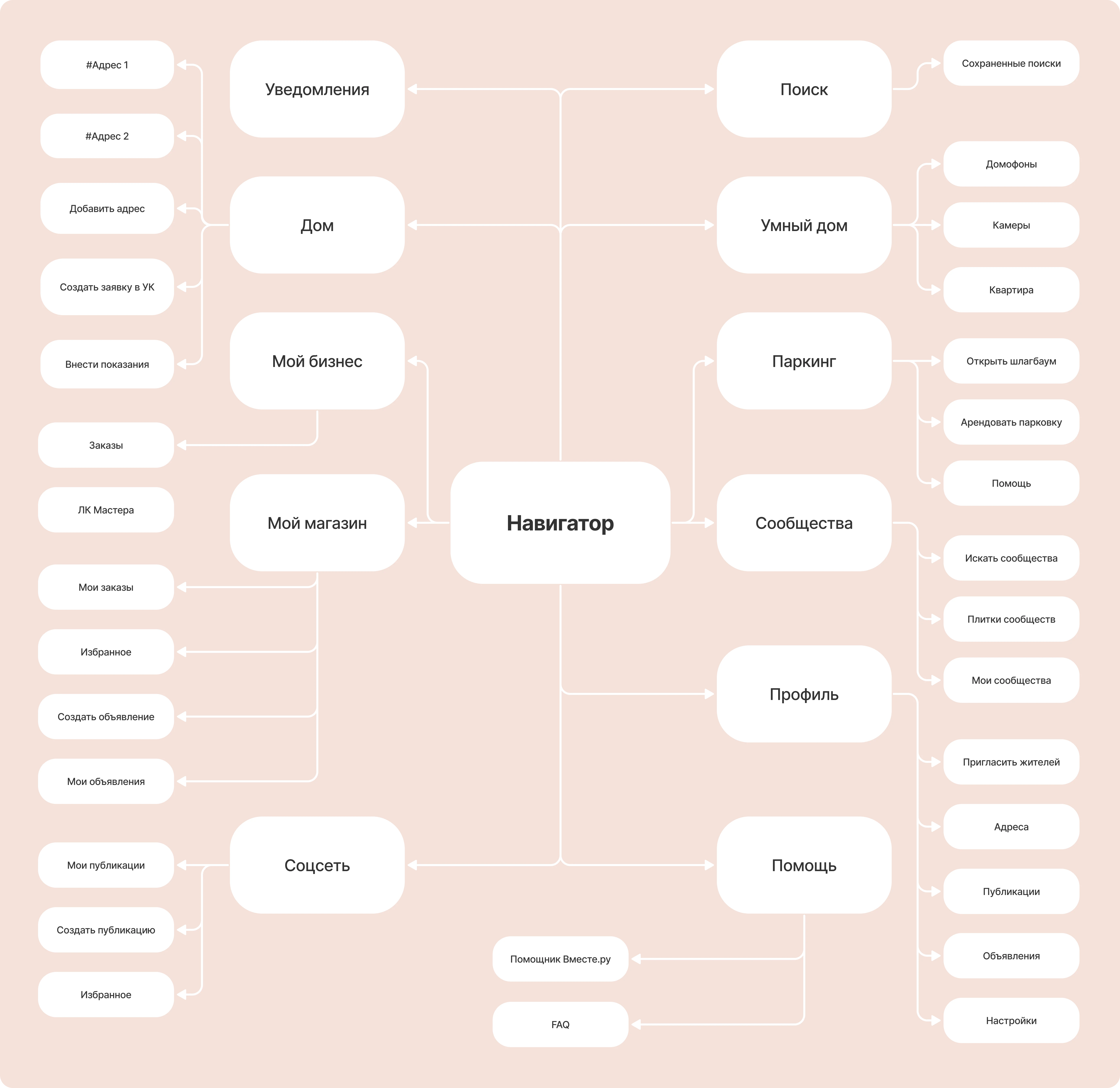
In the old design, all active buttons were mixed in meaning, actions/sections/widgets hardly differed visually, some important application functions were missing.

I collected all relevant sections, actions, and application functions and formed a new list of Navigator content
Before the start of the project, a roadmap was planned, which was approved by the product manager.

Validation
prototypes

Validation prototypes

• MAU (number of unique users using the app within one month);

• MAU (number of unique users using the app within one month);

  • • MAU (number of unique users using the app within one month);

  • • MAU (number of unique users using the app within one month);

  • • MAU (number of unique users using the app within one month);

  • • MAU (number of unique users using the app within one month);

  • • MAU (number of unique users using the app within one month);

  • • MAU (number of unique users using the app within one month);

  • • MAU (number of unique users using the app within one month);

  • • MAU (number of unique users using the app within one month);

Insights from validation

Insights from validation

1

Business users valued the Resident features: they wanted quick access to communities, resident quick actions.

In the end, the Business tab became second in order, by default the Navigator tab for the Resident is launched.

1

Business users valued the Resident features: they wanted quick access to communities, resident quick actions.

In the end, the Business tab became second in order, by default the Navigator tab for the Resident is launched.

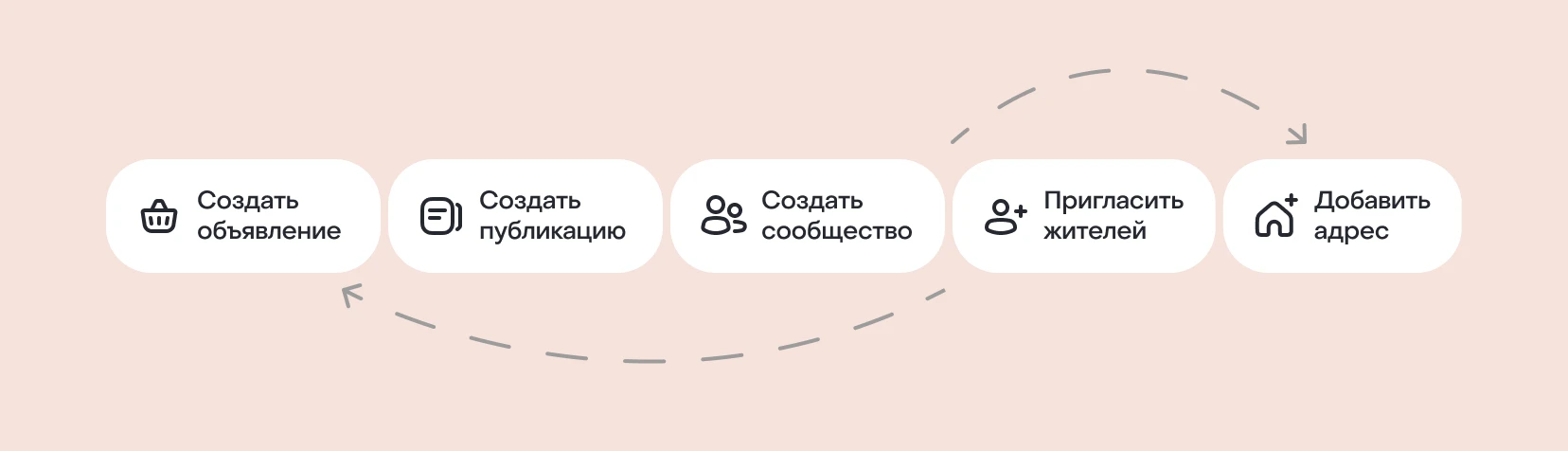
2

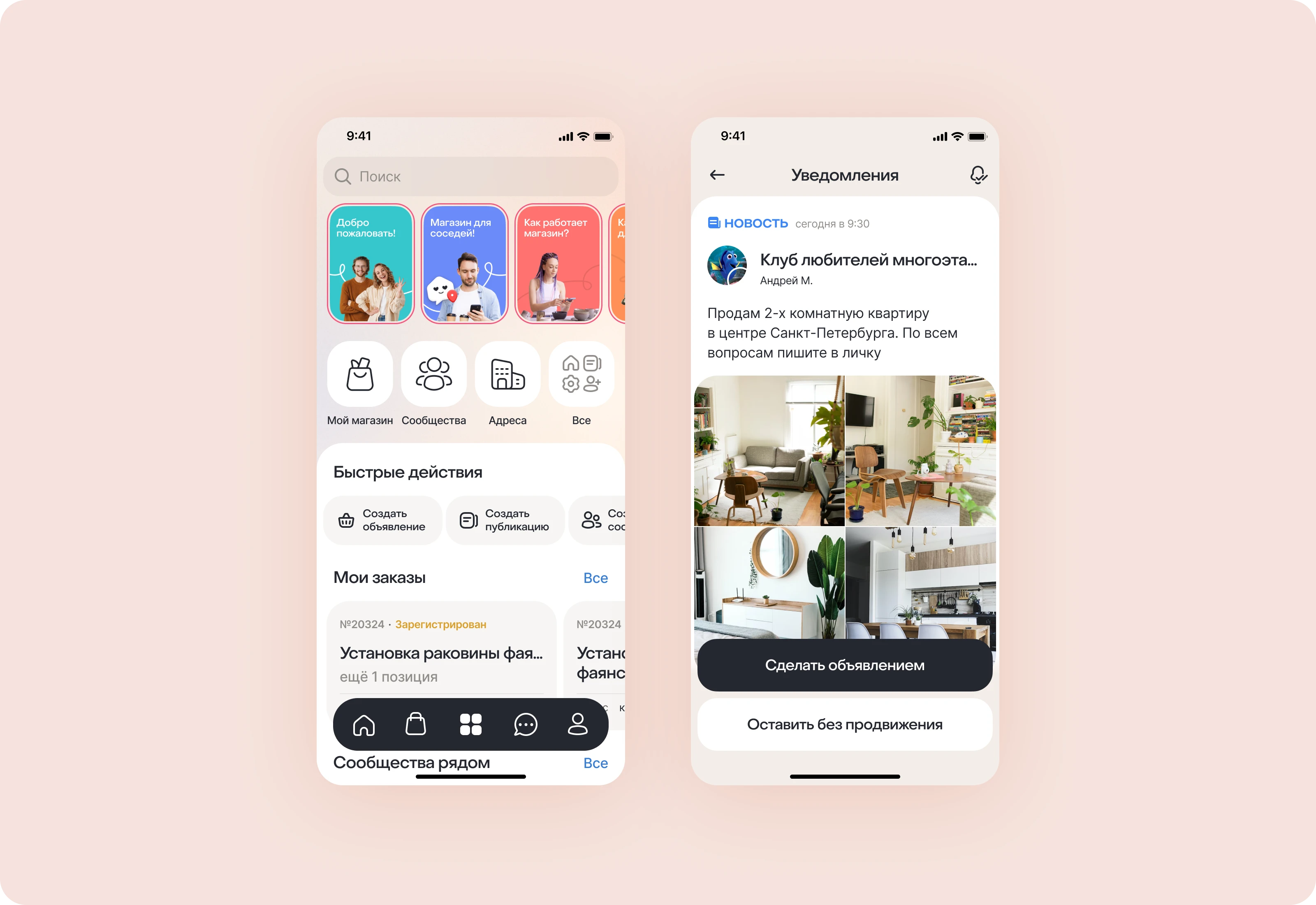
Many users have called Creating an ad one of the most useful actions for themselves.

As a result, the order of buttons in the ribbon had to be adjusted and put this function first.

2

Many users have called Creating an ad one of the most useful actions for themselves.

As a result, the order of buttons in the ribbon had to be adjusted and put this function first.

Final design

Final design

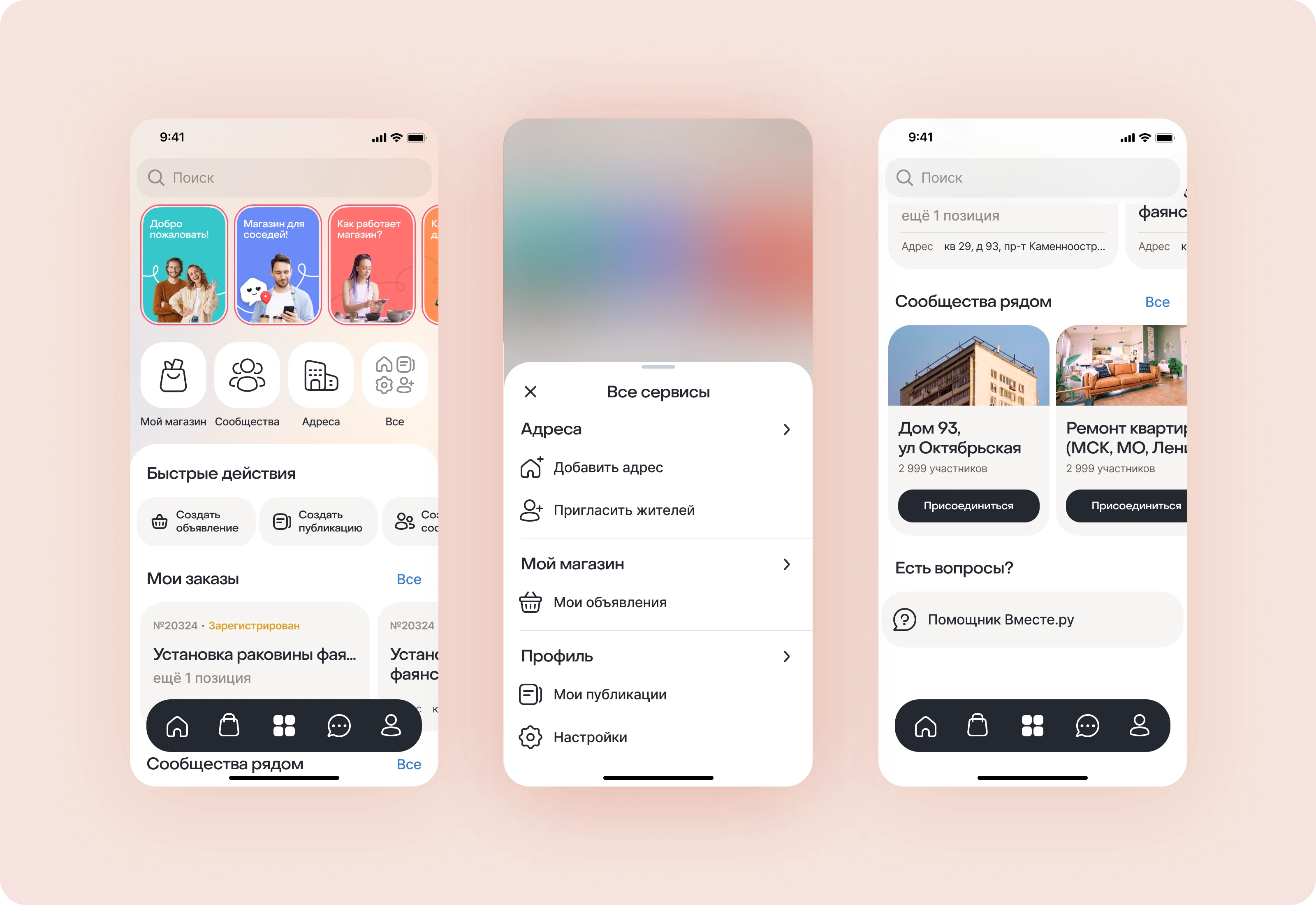
1

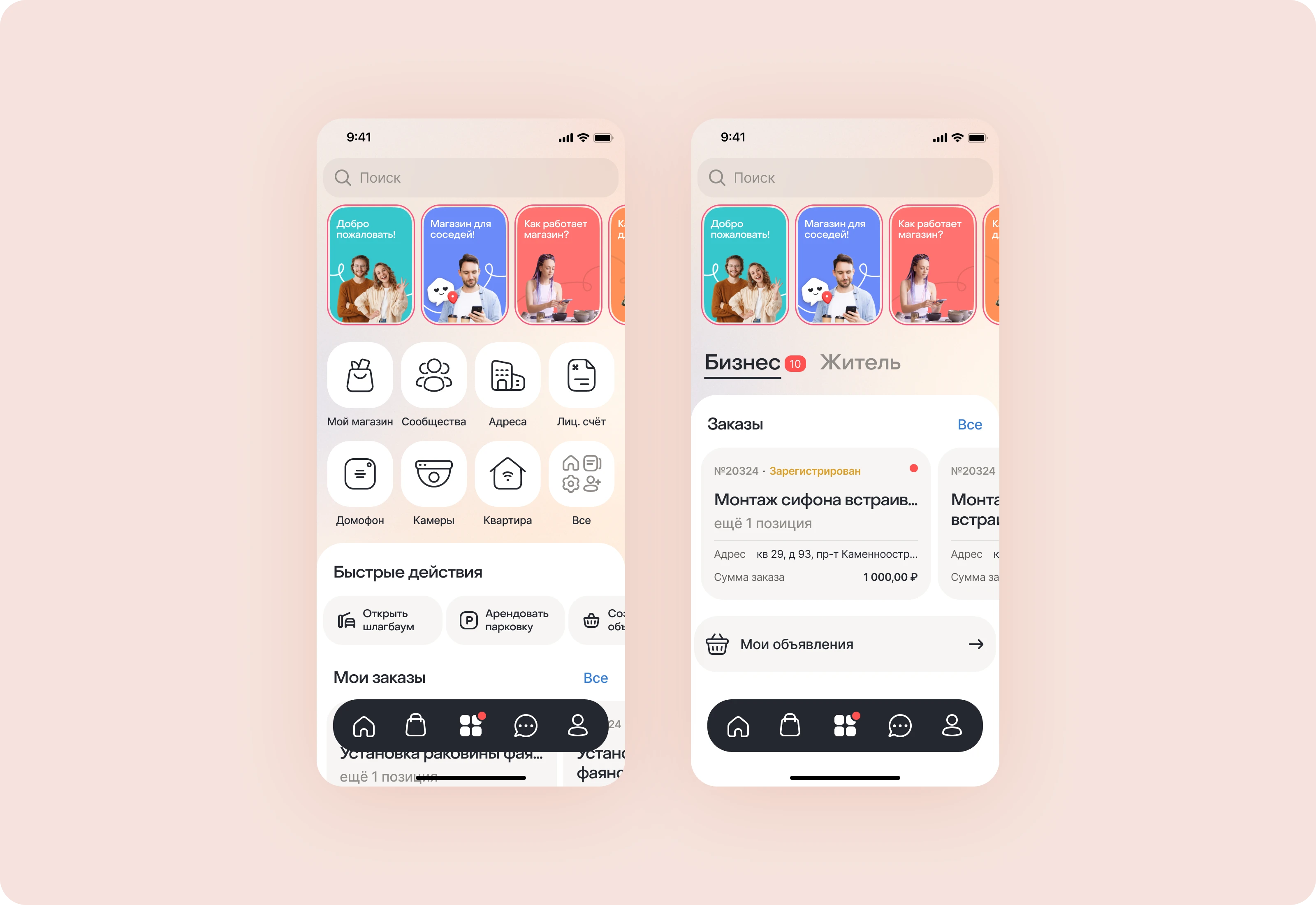
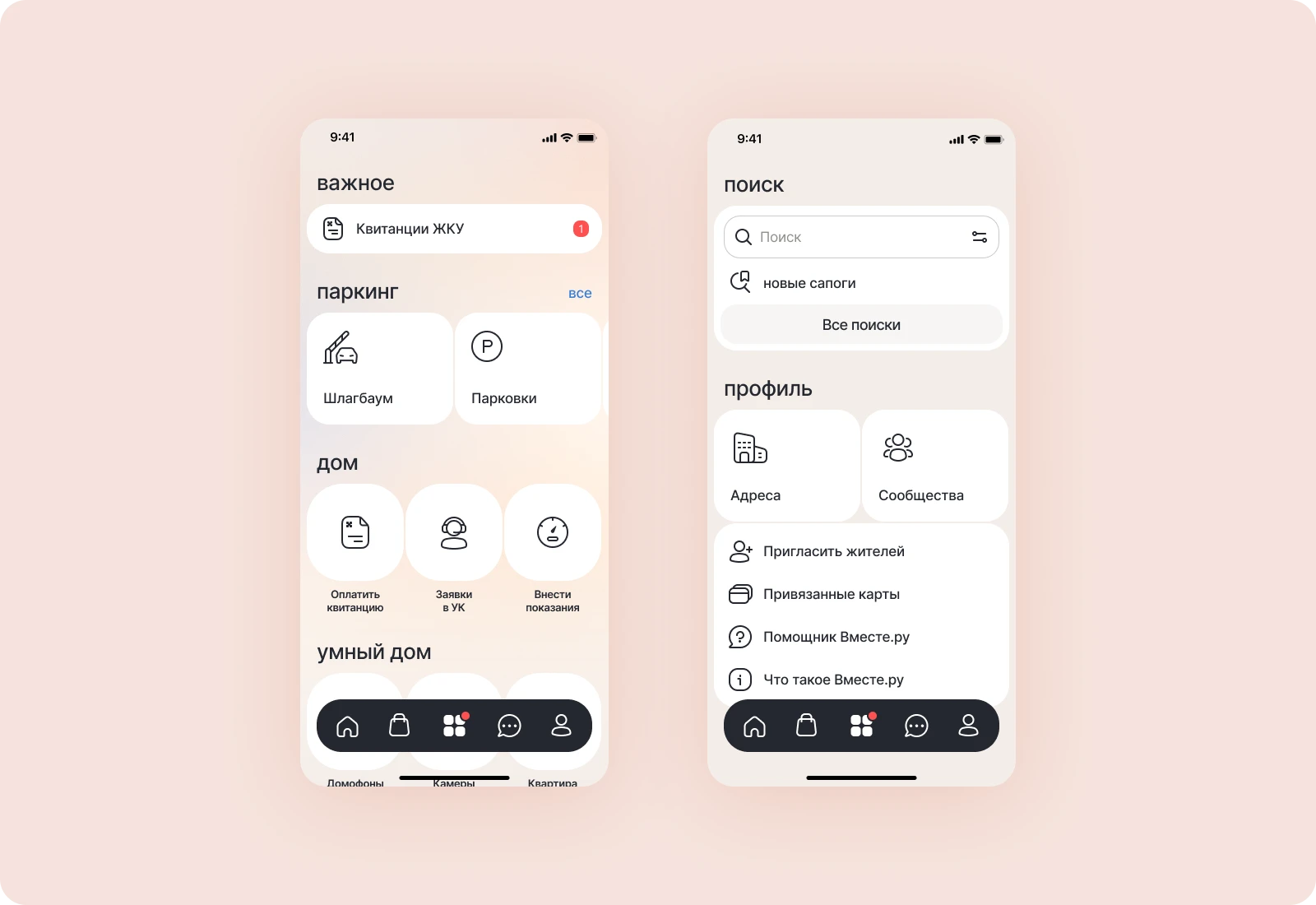
3 types of Navigator for the regular user, user connected to property management services, and for Business;

1

3 types of Navigator for the regular user, user connected to property management services, and for Business;

2

Раздел Уведомления cо всеми состояниями;

3

Дизайн для 4 сторисов о новых функциях приложения;
Results

Results

1

Количество посетителей Навигатора выросло с 17% на 25%

2

MAU приложения повысилось с ~130 тыс. до ~170 тыс.

3

Number of ad creations from Navigator

Reached 41% (where 100% is all the sources from which they can be created)

3

Number of ad creations from Navigator

Reached 41% (where 100% is all the sources from which they can be created)

4

Конверсия в целевое действие у Сторис достигла 28%

Create a free website with Framer, the website builder loved by startups, designers and agencies.